
Help & contact
Say hello.
A question, an idea for a folk, or something that isn’t working? Lumafolk is made by one person, and every message gets read.
Write to hello@lumafolk.comUsually answered within a few days.
Common questions
How do I put a folk on my Home Screen?
Touch and hold an empty spot on your Home Screen, tap Edit, then Add Widget. Search for Lumafolk, pick a size and tap Add Widget.
How do I choose who lives on a widget?
Open Lumafolk and go to Widgets, then tap the widget. Or touch and hold the widget on your Home Screen and tap Edit Widget. Only folk in My folk can live on a widget; add more from Meet.
Why is my folk asleep?
Folk sleep from 11 at night to 7 in the morning, on your phone’s clock. Leave them be; they’ll be up at 7.
Why does their world look different in the evening?
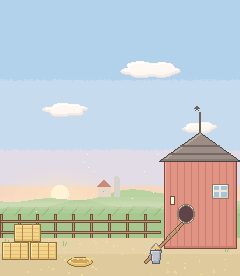
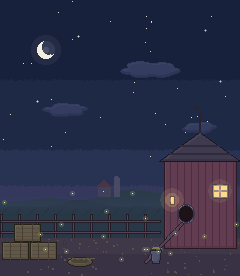
Every world has a day look and a dusk look. By default they follow the sun where you are, worked out from your time zone, without asking for your location. In Lumafolk, Widgets, Day and dusk, you can follow your phone’s Light and Dark mode instead, or keep it on day or dusk.
What do the toys do?
Every folk has three toys, as buttons on the widget and in the app. A toy plays a moment later, and some leave a keepsake in the world until bedtime or morning. You can hide the buttons in Lumafolk, Widgets.
What’s free, and what’s in Lumafolk Plus?
Flora, Pío and Toby are free, always, with their toys and every widget size. Lumafolk Plus lets every other folk join My folk, and new ones as they arrive. It starts with a free week for new subscribers, then it’s monthly or yearly. The App Store shows the price where you are.
How do I cancel Lumafolk Plus?
Open the Settings app, tap your name, then Subscriptions, and choose Lumafolk. Or, in Lumafolk, go to Settings and tap Manage subscription. Apple handles it, so you never need to contact us to cancel.
I have a new iPhone. How do I get Lumafolk Plus back?
Install Lumafolk, signed in with the same Apple Account, open Settings in Lumafolk and tap Restore purchases. My folk is kept on each device for now, so add your folk again from Meet.
Which devices does Lumafolk work on?
iPhone and iPad with iOS or iPadOS 26 or later. The extra-large widget needs iOS 27.
Which languages does Lumafolk speak?
English, Spanish, German, French, Portuguese, Japanese, Korean and Chinese (Simplified and Traditional). It follows your phone’s language; to change it for Lumafolk alone, open the Settings app, then Apps, Lumafolk, Language.
Does Lumafolk collect my data?
Nothing that identifies you. There’s no account and no advertising, and the app never tracks you. It sends anonymous usage statistics and crash reports, so we can make it better. The Privacy Policy says it in full.